

What’s new for your role
For administrators
You can now keep your organization’s apps inside your organization. Turn off Allow apps to be shared publicly in your organization’s settings, and builders can no longer share apps with every Playlab user or with anyone who has the link. Apps already shared that way become accessible to your organization only.A closer look
Keep your apps inside your organization
Schools with younger students often want their apps to stay within the school. Org admins can now turn off the Playlab and Public audiences for the whole organization. Admins see how many apps will change before confirming, those apps become accessible to the organization only, and anyone a builder invited directly keeps access. Turning the setting back on is deliberate: apps don’t become public again on their own, so builders re-share each one.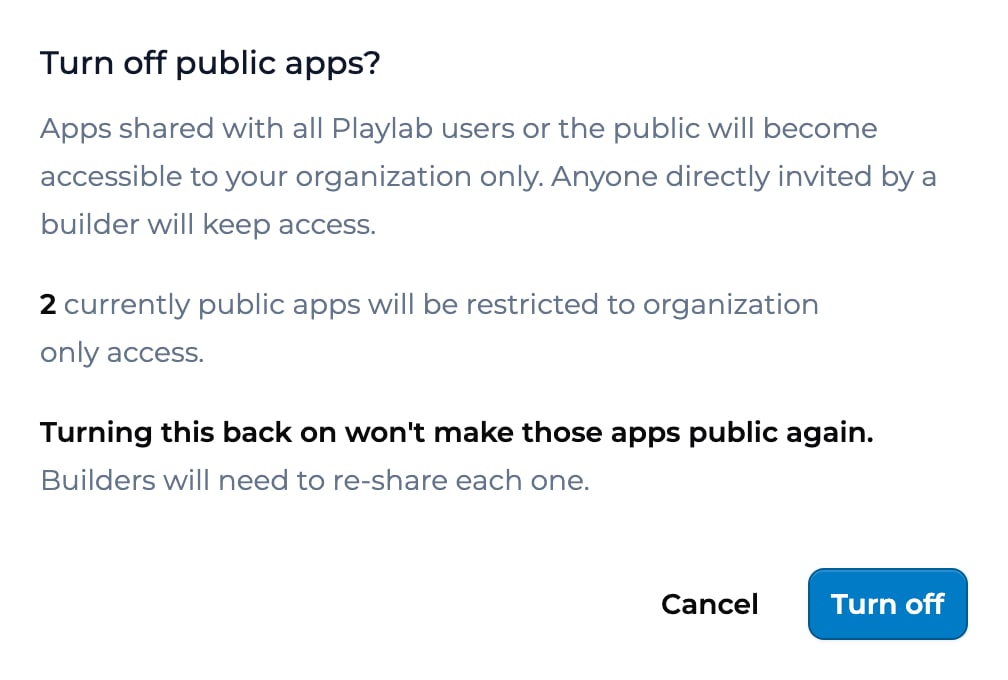
Also shipped
- Org admins can turn off public apps, so every app in the organization stays with the organization and the people it’s shared with directly.
Learn with us
Onboarding sessions
Live walkthroughs for new and returning users.
Office hours
Drop in with questions any week. We’re here.
Contact us
Reach out any time at [email protected]. For deeper conversations, you’re always welcome at [office hours](/learn with us/office hours).Last updated: 10-14-2026 Contact us at [email protected]